


A profile picture is one of the first things people notice on WhatsApp. It can represent someone’s personality, highlight a special moment, or make a contact easier to recognize. Many users search for whatsapp dp viewer online when they want to understand how profile photos can be viewed, why some images are unavailable, and which options are safe to use. Knowing how these features work helps users make informed decisions without compromising personal information.
WhatsApp offers built-in profile viewing features that allow users to see profile pictures according to each account’s privacy settings. However, not every image is accessible to everyone. A person’s contact preferences, account configuration, and decision to hide their picture can affect what other users see. Understanding these limitations is essential before trying any external website or third-party service.
Understanding Online WhatsApp DP Viewing
The term DP stands for display picture, a common expression used for profile photos on messaging platforms. A whatsapp dp viewer online search generally reflects an interest in viewing profile pictures through a browser or learning whether a particular image can be accessed without opening the mobile application.
WhatsApp primarily manages profile pictures through its official application and associated services. Users can open a conversation, tap the contact’s name, and select the profile image when it is available. The exact viewing experience may vary depending on the application version and device.
Some websites claim to display profile photos through an online interface. Their capabilities differ, and not every service is legitimate or functional. A website cannot automatically guarantee access to an image that its owner has restricted through privacy settings.
It is also important to distinguish between viewing a publicly available image and attempting to bypass someone’s privacy choices. The first may be possible through permitted features, while the second raises security, privacy, and ethical concerns.
How WhatsApp Profile Picture Visibility Works
WhatsApp provides privacy controls that help people decide who can see their profile photographs. These settings give account owners control over the visibility of personal information.
The main profile photo options generally include the following:
-
Everyone: The profile photo may be visible to a broader audience, depending on the available settings and platform behavior.
-
My Contacts: People saved in the account owner’s contacts may be able to see the picture.
-
My Contacts Except: The owner can exclude selected contacts from viewing the image.
-
Nobody: The profile picture is hidden from other users.
The availability of particular options may depend on the current application version and settings interface.
When someone cannot see a profile photo, several explanations are possible. The owner may have restricted visibility, removed the image, or changed their account settings. Connectivity problems or temporary application issues can also affect what appears on the screen.
Therefore, a missing image does not necessarily mean that someone has blocked you. It is better to avoid making assumptions based on a single profile detail.
Common Reasons People Search for a DP Viewer
People look for profile picture viewing options for different reasons. Some want to recognize a contact, while others are curious about how profile photos appear to different users.
A whatsapp dp viewer online search may come from someone who wants a convenient way to inspect a visible profile picture without navigating through several screens. Others may be researching online tools, checking privacy behavior, or learning how profile images are handled.
Common motivations include:
Contact identification: A profile photo can help distinguish between contacts with similar names, especially in busy address books.
Personal curiosity: Users sometimes want to see a friend’s updated picture or identify an image they remember from a conversation.
Technical understanding: People may want to learn whether browser-based tools can access profile information and what limitations apply.
Privacy awareness: Some users investigate these services to understand how much information their own profile picture reveals to others.
These reasons are not equivalent. Identifying a known contact through normal application features is different from collecting another person’s image without permission. Responsible use means respecting the account owner’s preferences.
Official Methods Compared With Third-Party Tools
Before using an external service, it helps to compare common viewing methods. Convenience is useful, but privacy protection and account security should remain priorities.
| Method | Main purpose | Privacy considerations |
|---|---|---|
| WhatsApp mobile app | View available contact profile pictures | Uses the account’s normal privacy controls |
| WhatsApp Web | Access WhatsApp conversations through a browser | Requires a properly linked session |
| Contact information screen | Check a contact’s visible profile image | Visibility depends on the owner’s settings |
| Third-party viewing website | Claims to provide browser-based image access | May request unnecessary information or make misleading claims |
| Screenshots shared with permission | Keep a copy of an image someone has shared | Consent and secure storage are important |
The official application is generally the most dependable option because it works within WhatsApp’s established features. WhatsApp Web can also be useful when accessing messages from a computer, provided the user follows the official linking process.
External websites deserve additional scrutiny. A service promising unrestricted access to private images should not be trusted simply because its website looks professional.
How to View a Visible Profile Picture Safely
You do not need an unfamiliar website to check a profile image that WhatsApp already makes available to you. The official application provides a straightforward method.
Follow these steps:
-
Open WhatsApp on your phone.
-
Find the relevant conversation in your chat list.
-
Tap the contact’s name or profile image to open their information.
-
Select the profile picture if it is displayed.
-
View the image using the options available in your version of the application.
If you are using WhatsApp Web, open the appropriate conversation and select the contact’s information to inspect the visible profile details.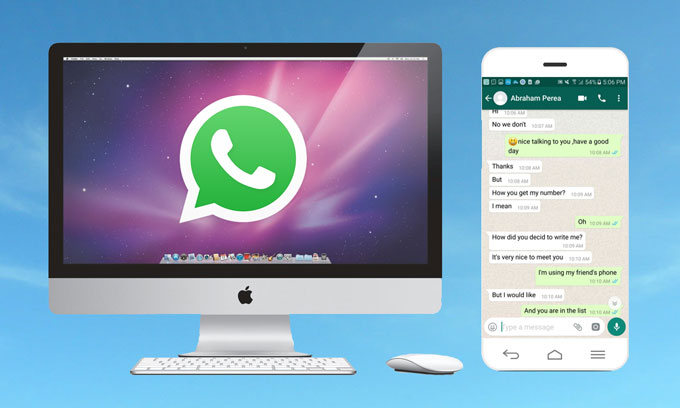
This process does not override privacy restrictions. If the picture is unavailable, there may be a legitimate reason for its absence.
For people researching whatsapp dp viewer online options, this distinction is important: an online search may identify tools that claim to provide additional access, but it does not establish that those tools work or that their methods are safe.
Risks Associated With Unofficial DP Viewer Websites
Third-party websites can introduce risks that are easy to overlook when a service promises quick results. Some may use misleading advertisements, collect browsing information, or encourage visitors to provide sensitive details.
The following warning signs deserve attention:
-
Requests for verification codes: Never share WhatsApp registration codes or two-step verification PINs with a viewing service.
-
Unexpected login requirements: Be cautious if an unfamiliar website asks for your account credentials.
-
Unnecessary downloads: Avoid installing unknown applications or browser extensions just to view a profile picture.
-
Unrealistic promises: Claims of accessing every private profile photo should be treated skeptically.
-
Unclear data policies: A service that does not explain how it handles personal information may pose additional privacy concerns.
Some websites may also imitate familiar login pages or use deceptive buttons to encourage downloads. Even when a service does not immediately request payment, it may still expose users to unwanted tracking or malicious content.
A legitimate-looking interface is not proof that a tool is secure. Reviewing permissions, avoiding sensitive disclosures, and relying on official features are more reliable protective measures.
Can You View a Private WhatsApp DP Without Saving a Number?
This is a common question among users who want to check a profile picture without adding someone to their contact list.
The answer depends on the account owner’s privacy settings and the available WhatsApp features. If the owner permits broader visibility, the picture may be visible without saving the number. If visibility is limited to contacts or selected people, an unsaved number may not have access.
A whatsapp dp viewer online tool cannot legitimately promise that every restricted image will become accessible. Any service claiming to defeat these controls should be approached with caution.
If you need to identify an unfamiliar number, consider using information already available in the conversation or asking the person to identify themselves. For business contacts, confirm their identity through an established communication channel.
These alternatives help prevent mistaken identity and reduce the risk of interacting with fraudulent accounts.
Privacy Tips for Your Own WhatsApp Display Picture
Learning about profile viewers is also an opportunity to review your own account settings. Your display picture may reveal more than you intend, particularly if it includes your face, family members, workplace, home environment, or travel details.
To improve privacy, open WhatsApp’s settings and locate the privacy section. Select the profile photo option and choose the audience that best matches your preferences.
Consider these additional practices:
Choose images carefully. Avoid profile pictures that reveal sensitive documents, personal addresses, workplace access cards, or other identifying information.
Review contact lists. Remove outdated or unfamiliar entries when appropriate, especially if your profile visibility is limited to contacts.
Keep the application updated. Updates can include security improvements and changes to privacy features.
Protect account access. Enable two-step verification and never share registration codes with another person or website.
Be selective about sharing. If someone requests a profile image for a legitimate reason, decide whether you are comfortable sharing it directly.
These habits are useful even if you never visit an external viewer website. They allow you to manage your digital presence instead of relying on assumptions about who can see your information.
What to Do When a Profile Picture Is Not Visible
A missing profile photo can have several causes, so checking the simplest explanations first is sensible.
Begin by confirming that your internet connection is working. Close and reopen WhatsApp if the application appears unresponsive. You can also check whether the application needs an update.
Next, consider whether the contact may have changed their profile photo or adjusted its visibility. If the relationship allows it, ask the person directly whether they have a picture available.
Do not assume that a missing image proves that you have been blocked. WhatsApp does not provide a definitive conclusion about blocking based on one profile detail alone.
If you encounter an unfamiliar service while searching for whatsapp dp viewer online, avoid entering personal details to troubleshoot a missing image. An external website cannot reliably explain another person’s privacy choices merely by displaying a message or an error.
Responsible Use of Profile Picture Information
Profile pictures are part of a person’s digital identity. Even when an image is visible, that does not automatically mean the owner has agreed to every possible use of it.
For example, saving a photo for a permitted personal purpose differs from reposting it publicly, using it to impersonate someone, or collecting it for commercial purposes without permission.
Before downloading, forwarding, editing, or publishing another person’s photograph, consider whether you have their consent and whether your intended use is appropriate.
Businesses and content creators should apply the same principle when using profile images in promotional material. Permission, transparent communication, and respect for individual preferences help avoid misunderstandings.
Responsible online behavior involves more than finding a technical way to access information. It also requires understanding the boundaries that other users have established.
Conclusion
Viewing WhatsApp profile pictures is straightforward when an image is available through the platform’s official features. Privacy settings determine who can see a display picture, while connection problems and account changes can explain why an image sometimes disappears. Searching for whatsapp dp viewer online may introduce users to different websites and tools, but their claims should be evaluated carefully. No unfamiliar service should be trusted with verification codes, account credentials, or unnecessary personal information.
The safest approach is to use WhatsApp’s built-in viewing options, respect profile visibility preferences, and protect your own account with sensible security practices. By balancing convenience with privacy, users can manage profile pictures confidently without exposing themselves or others to unnecessary risks.
