


Introduction
WhatsApp profile pictures help people recognize contacts, express their personalities, and make conversations feel more personal. Whether someone uses a family photograph, a favorite landscape, or a professional portrait, their display picture, commonly called a DP, is an important part of their online identity. As a result, many users search for a WhatsApp DP Viewer when they want to understand profile picture viewing options or manage photos more conveniently.
A WhatsApp DP Viewer generally refers to a website, application, or viewing method associated with WhatsApp profile pictures. However, not every tool offers the same features, and some websites make claims that they cannot reliably deliver. Understanding how WhatsApp privacy settings work is essential before using an external service.
This guide explains the purpose of WhatsApp DP Viewer tools, the available viewing options, important privacy considerations, and practical ways to browse profile pictures responsibly. It also highlights safer alternatives for people who want a simple and convenient photo browsing experience without compromising personal information.
What Is a WhatsApp DP Viewer?
A WhatsApp DP Viewer is a term commonly used for tools or services that claim to help people view WhatsApp display pictures. Depending on the service, it might provide information about profile picture visibility, explain viewing methods, or offer a page designed around public profile images.
The actual functionality varies significantly. WhatsApp itself controls which profile information other users can access through its privacy settings. A third-party website cannot automatically gain permission to view every person’s profile photograph simply because someone enters a phone number.
Some services may only provide general instructions, while others might request contact details, downloads, or account access. Users should examine these requests carefully before proceeding.
Understanding this distinction prevents unrealistic expectations and helps people choose reliable methods. A useful viewing experience should respect individual privacy, avoid unnecessary permissions, and never require users to share WhatsApp verification codes or passwords.
Why People Search for WhatsApp DP Viewer Online
People look for online profile picture viewing options for several everyday reasons. They might want to understand whether a contact has updated a photograph, learn how profile picture visibility works, or find a convenient way to manage images on their own devices.
Common reasons include:
- Contact recognition: Profile photographs can help distinguish between contacts with similar names.
- Personal organization: Users may want to keep their own profile photographs organized in a personal gallery.
- Privacy awareness: People often want to understand who can see their display pictures.
- Technical guidance: New users may need help navigating WhatsApp profile settings.
- Image management: Some users want to update, replace, or remove their own profile photographs.
These needs do not necessarily require an external viewer. WhatsApp already provides built-in options for viewing accessible profile information and managing personal account settings.
Choosing the right approach depends on the purpose. Checking your own profile picture requires different steps from viewing another person’s photograph, and neither task should involve bypassing privacy restrictions.
How WhatsApp Profile Picture Visibility Works
WhatsApp includes privacy controls that allow users to determine who can see their profile picture. Available options can vary with the application version, but the familiar settings include Everyone, My Contacts, My Contacts Except, and Nobody.
The selected option determines the visibility of the user’s profile photograph. For example, someone who selects My Contacts may limit visibility to people saved in their address book. A person using Nobody can prevent others from viewing their profile picture through ordinary WhatsApp access.
| Privacy setting | General visibility |
|---|---|
| Everyone | Allows broad visibility, subject to WhatsApp’s applicable rules and features. |
| My Contacts | Limits visibility to contacts saved by the account holder. |
| My Contacts Except | Excludes selected contacts from profile picture visibility. |
| Nobody | Prevents others from viewing the profile picture through normal access. |
The precise experience may depend on account settings and application updates. Users should check the current privacy menu rather than assume every account behaves identically.
A WhatsApp DP Viewer cannot legitimately override these controls. If a photograph is unavailable because of privacy restrictions, users should respect that decision instead of attempting to circumvent it.
How to View a WhatsApp Profile Picture Safely
The simplest approach is to use WhatsApp directly. This avoids unnecessary downloads and reduces the risk of exposing personal information to unfamiliar services.
Follow these steps:
- Open WhatsApp on your phone or computer.
- Select an existing conversation or open the relevant contact.
- Tap or click the person’s name or profile information.
- Select the profile photograph if it is visible.
- View the image using the options provided by the application.
The photograph’s availability depends on the other person’s privacy settings and whether a profile picture has been set.
If you cannot see an image, several explanations are possible. The person may have restricted visibility, removed their photograph, or changed their settings. Connectivity problems or temporary application issues may also affect what appears on screen.
Avoid assuming that a missing photograph means someone has blocked you. Profile visibility alone does not establish the reason.
Features to Look for in an Online DP Viewing Tool
Not every website advertising a WhatsApp DP Viewer is trustworthy. Before using an unfamiliar service, evaluate its purpose, transparency, and security practices.
A responsible service should explain what it does without promising access to restricted information. It should also provide clear privacy information and avoid collecting unnecessary personal details.
Look for these characteristics:
- Clear functionality: The website explains its actual features and limitations.
- Transparent privacy practices: Its policies describe how submitted information is handled.
- No credential requests: It does not ask for WhatsApp passwords or verification codes.
- Minimal permissions: It avoids unnecessary access to contacts, files, or accounts.
- Secure browsing: It uses an encrypted connection where applicable.
- Honest claims: It does not promise unrestricted access to private profile pictures.
Even when a website appears professional, these characteristics do not guarantee complete safety. Users should remain cautious when a service requests information unrelated to its stated purpose.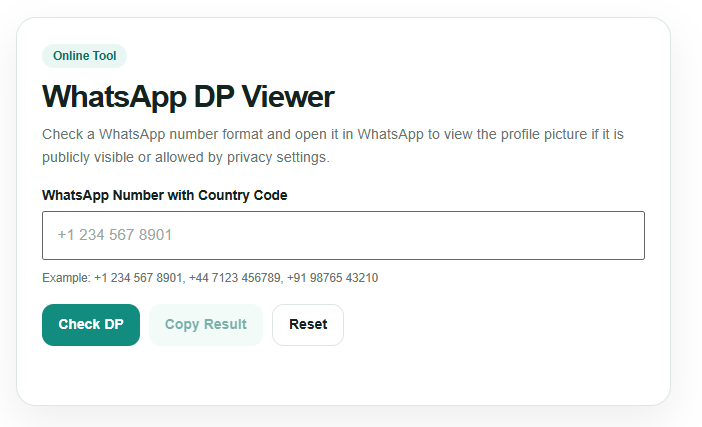
WhatsApp DP Viewer Compared with Built-In Options
For most people, WhatsApp’s own features are more appropriate than an external viewer. The built-in application provides direct access to available profile information while respecting account privacy settings.
| Feature | WhatsApp directly | Third-party viewer |
|---|---|---|
| Profile access | Shows information available to your account | Depends on the service’s actual capabilities |
| Privacy controls | Managed within WhatsApp | May provide explanations, but cannot legitimately override restrictions |
| Account security | Uses WhatsApp’s established account system | Depends on the provider and its practices |
| Installation | Uses the existing application | May require a website or additional software |
| Information requests | Generally uses normal account access | Some services request unnecessary personal details |
| Recommended use | Everyday profile viewing and settings | Only when a legitimate, clearly explained additional function is available |
This comparison illustrates why an external tool should not automatically be considered better. Convenience matters, but security, privacy, and reliable functionality are equally important.
Protecting Your Privacy While Browsing Profile Pictures
Profile photographs can reveal more than a person’s appearance. They may include family members, workplace details, locations, or other identifying information. Responsible browsing means treating these images as personal information rather than freely available material.
When using WhatsApp or related websites, follow these precautions:
- Never provide your WhatsApp verification code to an external service.
- Avoid entering passwords or sensitive account information into unfamiliar websites.
- Do not install applications from suspicious download pages.
- Review requested permissions before granting access.
- Avoid services that claim they can reveal hidden or restricted profile pictures.
- Ask permission before downloading, reposting, or sharing another person’s photograph.
- Keep WhatsApp and your device software updated.
These practices reduce common security risks while encouraging respectful online behavior. They are especially important when a website promises unusual access in exchange for a phone number or payment.
How to Manage Your Own WhatsApp Display Picture
If your goal is to browse or update your own photograph, WhatsApp provides straightforward profile management options.
Open the application and navigate to Settings. Select your profile information, then tap your current photograph or the edit option. Depending on your device and application version, you may be able to choose an existing image, take a new photograph, or remove the current picture.
Before selecting a new DP, consider its appearance at a small size. A clear subject, suitable lighting, and a simple background can make the image easier to recognize. Personal photographs should also reflect your comfort level with the people permitted to view them.
You can adjust profile picture visibility through the privacy settings. If you prefer greater control, review your contact list and exclusion options periodically.
These built-in tools offer practical ways to maintain your profile without relying on an outside viewing service.
Common Problems and Practical Solutions
Sometimes a WhatsApp profile photograph does not appear as expected. Understanding common causes can help users troubleshoot without turning to questionable websites.
The photograph is missing: The account may not have a profile picture, or the owner may have restricted visibility.
The image does not update: Close and reopen WhatsApp, check your internet connection, and allow the application to refresh.
A website requests a phone number: Consider whether the information is genuinely necessary. Do not provide sensitive details simply to test a service.
A viewer promises hidden photographs: Treat the claim as a warning sign. A legitimate tool should not promise to defeat another person’s privacy settings.
An application requests unusual permissions: Cancel the process if the requested access does not match the application’s purpose.
If the problem continues, consult WhatsApp’s official help resources or review the application’s current settings. Avoid sharing account credentials with anyone claiming they can fix profile picture visibility.
Best Practices for a Better Photo Browsing Experience
A convenient photo browsing experience begins with realistic expectations and sensible security habits. Users should rely on available account features rather than assuming an online viewer can retrieve every image.
First, identify what you need to accomplish. If you want to see an accessible contact photograph, open the person’s profile in WhatsApp. If you want to improve your own image, use the profile editing options. If you need to understand privacy, review the relevant settings.
Next, evaluate any external website carefully. Read its description, examine its privacy policy, and avoid downloading unfamiliar files. Do not treat positive-looking testimonials or professional design as proof that a service is safe.
Finally, respect other people’s choices. A profile picture may be visible for recognition without granting permission to reuse it commercially, publish it elsewhere, or distribute it without consent.
Combining practical tools with responsible behavior makes online photo browsing more predictable and secure.
Conclusion
A WhatsApp DP Viewer can be a useful search term for people exploring profile picture access, photo browsing, and privacy settings. However, the name does not guarantee that a website or application provides special viewing capabilities. WhatsApp’s built-in features remain the practical starting point for viewing accessible photographs and managing your own display picture.
For a simple and dependable experience, use WhatsApp directly, keep your account protected, and choose appropriate profile picture settings. By combining convenience with responsible browsing habits, you can manage photographs more confidently while respecting the privacy and choices of other users.
